

Digital Imaging
Information on software applications
This page describes how to download a variety of applications and software programs, and provides usage guidance.
Click the link below to find out more about the Creators' Cloud services and applications.
Digital Imaging
Information on software applications
This page describes how to download a variety of applications and software programs, and provides usage guidance.
Click the link below to find out more about the Creators' Cloud services and applications.
The following webpage provides information about services and applications associated with Creators' Cloud.
- Catalyst Browse
- Catalyst Prepare
- Catalyst Prepare Plugin
- Ci Media Cloud
- Creators' App
- Discover
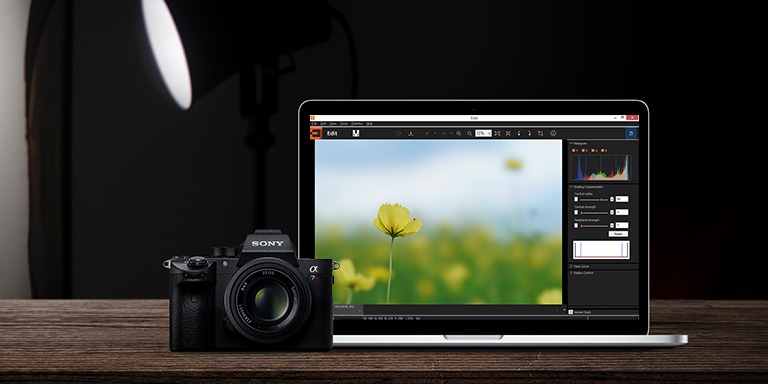
- Imaging Edge Desktop
- Imaging Edge Mobile
- IPTC Metadata Preset
- Monitor & Control
- Remote Camera Tool
- Transfer & Tagging
- Visual Story
Editing videos on a smartphone or tablet
 Movie Edit add-on
Movie Edit add-on is a video editing application for smartphones that provides intelligent framing and image stabilization to create flowing shot images similar to using a gimbal.
Supported devices: ILCE-7C, ILCE-7M4, ZV-E1, ZV-E10, ZV-1F, ZV-1M2, ZV-1A, ZV-1, DSC-RX100M7A, DSC-RX100M7, DSC-RX0M2
Using your Sony camera as a webcam
 Imaging Edge Webcam
You can connect your Sony camera to a PC, and use it as a high-quality webcam on a livestreaming/web conferencing service.
Managing and editing images on a PC
 PlayMemories Home
"PlayMemories Home" enables you to manage and edit photos and videos on your PC.
- Downloads of PlayMemories Home Ver. 5.5 (version for 32-bit operating systems) were ended on March 31, 2020.
The download service for the Mac version of PlayMemories Home was scheduled to be terminated on March 31, 2020. However, the period has been extended, and downloads are still available. - Not compatible with models released in 2020 and later (except for ILCE-7RM4A, ILCE-7RM3A, ILCE-6400A, ILCE-6100A, ZV-1A, ZV-1, DSC-RX100M7A, FDR-AX45A, and FDR-AX43A).
Discontinued software and services
The following software and services are no longer available. In the case of discontinued software, downloads are no longer available, and in the case of discontinued services, the services are no longer provided.
Action Cam App
Use PlayMemories Home to edit movies on your computer.
Use Imaging Edge Desktop (Viewer) to create time-lapse movies on your computer.
Action Cam Movie Creator
Use PlayMemories Home to edit movies and use multi-view display.
Use Imaging Edge Desktop (Viewer) to create time-lapse movies.
HEIF Converter
To handle HEIF images, download HEIF Extension for Imaging Edge Desktop (Viewer/Edit).
Image Data Converter
To handle RAW data, use Imaging Edge Desktop (Viewer/Edit).
Imaging Edge Mobile Plus
Imaging Edge Mobile Plus has been renamed to Creators' App. When you update Imaging Edge Mobile Plus, Creators' App will be installed automatically.
Master Cut (Beta)
The service is no longer provided (2026).
Going forward, use Catalyst Browse / Catalyst Prepare / Catalyst Prepare Plugin.
Music Transfer
PlayMemories Home provides the same function (for Windows only). Start PlayMemories Home and select [Tools] > [Music Transfer].
MVR Studio
Downloads are no longer available (2020).
PlayMemories Camera Apps
Downloads are no longer available (2025).
It is possible to continue to use apps already installed on the camera after the download service is discontinued, but it will not be possible to reinstall them if the camera is initialized by the customer or initialized when the camera undergoes repairs.
PlayMemories Mobile
The successor application, Imaging Edge Mobile, provides the same functionality.
PlayMemories Online
The service is no longer provided (2024).
PMB(Picture Motion Browser)
To import and view images, use PlayMemories Home as described above.
Remote Camera Control
To operate the camera remotely, use Imaging Edge Desktop (Remote).
Sony RAW Driver
To handle RAW data, use Imaging Edge Desktop (Viewer/Edit).
Wireless Auto Import
Downloads are no longer available (2020).
Trademarks
- Adobe and Premiere are either registered trademarks or trademarks of Adobe in the United States and/or other countries.
- Other system names, product names, and service names are registered trademarks or trademarks of each company. However, the ™ or ® marks may not be used in all cases in this manual.