
Master Cut (Beta) Function compatibility information
Image Stabilization
If the video was shot with a compatible camera, you can apply image stabilization in Master Cut (Beta) using image stabilization information recorded in the video.
- For information on image stabilization settings, refer to the “SteadyShot” item in your camera’s Help Guide.
- See below for cameras that support image stabilization and applicable limitations.
 Fully compatible
 Compatible, but with restrictions
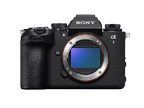
ILCE-1M2
 Detailed Info
Limitations:ILCE-1M2
- Operation is not guaranteed when shooting using lenses other than E-mount lenses.
- To use the SteadyShot function using metadata, set the SteadyShot function to [Off], [Active] or [Dynamic active] on the camera body before shooting.
- It is not possible to apply the SteadyShot function using metadata when shooting with the auto framing or framing stabilizer function.
- It is not possible to apply the SteadyShot function using metadata when recording with the Slow & Quick Motion or Super Slow Motion function.
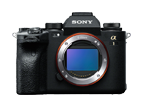
ILCE-1
 Detailed Info
Limitations:ILCE-1
- Operation is not guaranteed when shooting using lenses other than E-mount lenses.
- To use the SteadyShot function using metadata, set the SteadyShot function to [Off] or [Active] on the camera body before shooting.
- It is not possible to apply the SteadyShot function using metadata when recording with the Slow & Quick Motion or Super Slow Motion function.
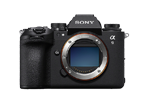
ILCE-9M3
 Detailed Info
Limitations:ILCE-9M3
- Operation is not guaranteed when shooting using lenses other than E-mount lenses.
- To use the SteadyShot function using metadata, set the SteadyShot function to [Off], [Active] or [Dynamic active] on the camera body before shooting.
- It is not possible to apply the SteadyShot function using metadata when shooting with the auto framing or framing stabilizer function.
- It is not possible to apply the SteadyShot function using metadata when recording with the Slow & Quick Motion or Super Slow Motion function.
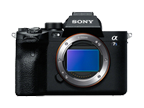
ILCE-7SM3
 Detailed Info
Limitations:ILCE-7SM3
- Operation is not guaranteed when shooting using lenses other than E-mount lenses.
- To use the SteadyShot function using metadata, set the SteadyShot function to [Off] or [Active] on the camera body before shooting.
- It is not possible to apply the SteadyShot function using metadata when recording with the Slow & Quick Motion or Super Slow Motion function.
ILCE-7RM5
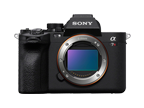 Detailed Info
Limitations:ILCE-7RM5
- Operation is not guaranteed when shooting using lenses other than E-mount lenses.
- To use the SteadyShot function using metadata, set the SteadyShot function to [Off] or [Active] on the camera body before shooting.
- It is not possible to apply the SteadyShot function using metadata when recording with the Slow & Quick Motion or Super Slow Motion function.
ILCE-7CR
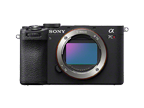 Detailed Info
Limitations:ILCE-7CR
- Operation is not guaranteed when shooting using lenses other than E-mount lenses.
- To use the SteadyShot function using metadata, set the SteadyShot function to [Off] or [Active] on the camera body before shooting.
- It is not possible to apply the SteadyShot function using metadata when shooting with the auto framing or framing stabilizer function.
- It is not possible to apply the SteadyShot function using metadata when recording with the Slow & Quick Motion or Super Slow Motion function.
ILCE-7CM2
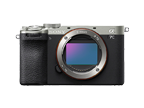 Detailed Info
Limitations:ILCE-7CM2
- Operation is not guaranteed when shooting using lenses other than E-mount lenses.
- To use the SteadyShot function using metadata, set the SteadyShot function to [Off] or [Active] on the camera body before shooting.
- It is not possible to apply the SteadyShot function using metadata when shooting with the auto framing or framing stabilizer function.
- It is not possible to apply the SteadyShot function using metadata when recording with the Slow & Quick Motion or Super Slow Motion function.
ILCE-7C
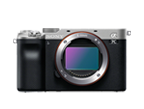 Detailed Info
Limitations:ILCE-7C
- Operation is not guaranteed when shooting using lenses other than E-mount lenses.
- To use the SteadyShot function using metadata, set the SteadyShot function to [Off] on the camera body before shooting.
- It is not possible to apply the SteadyShot function using metadata when recording with the Slow & Quick Motion or Super Slow Motion function.
ILCE-7M4
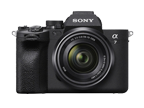 Detailed Info
Limitations:ILCE-7M4
- Operation is not guaranteed when shooting using lenses other than E-mount lenses.
- To use the SteadyShot function using metadata, set the SteadyShot function to [Off] or [Active] on the camera body before shooting.
- It is not possible to apply the SteadyShot function using metadata when recording with the Slow & Quick Motion or Super Slow Motion function.
ILCE-6700
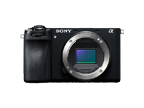 Detailed Info
Limitations:ILCE-6700
- Operation is not guaranteed when shooting using lenses other than E-mount lenses.
- To use the SteadyShot function using metadata, set the SteadyShot function to [Off] or [Active] on the camera body before shooting.
- It is not possible to apply the SteadyShot function using metadata when shooting with the auto framing or framing stabilizer function.
- It is not possible to apply the SteadyShot function using metadata when recording with the Slow & Quick Motion or Super Slow Motion function.
ZV-E1
 Detailed Info
Limitations:ZV-E1
- Operation is not guaranteed when shooting using lenses other than E-mount lenses.
- To use the SteadyShot function using metadata, set the SteadyShot function to [Off], [Active] or [Dynamic active] on the camera body before shooting.
- It is not possible to apply the SteadyShot function using metadata when shooting with the auto framing or framing stabilizer function.
- It is not possible to apply the SteadyShot function using metadata when recording with the Slow & Quick Motion or Super Slow Motion function.
- When shooting using the cinematic vlog function, the image stabilization function employing metadata is not available.
ZV-E10M2
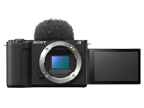 Detailed Info
Limitations:ZV-E10M2
- Operation is not guaranteed when shooting using lenses other than E-mount lenses.
- To use the SteadyShot function using metadata, set the SteadyShot function to [Off] or [Active] on the camera body before shooting.
- It is not possible to apply the SteadyShot function using metadata when recording with the Slow & Quick Motion or Super Slow Motion function.
- When shooting using the cinematic vlog function, the image stabilization function employing metadata is not available.
ZV-E10
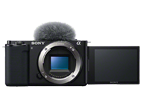 Detailed Info
Limitations:ZV-E10
- Operation is not guaranteed when shooting using lenses other than E-mount lenses.
- To use the SteadyShot function using metadata, set the SteadyShot function to [Off] or [Active] on the camera body before shooting.
- It is not possible to apply the SteadyShot function using metadata when recording with the Slow & Quick Motion or Super Slow Motion function.
ILME-FX3A
 Detailed Info
Limitations:ILME-FX3A
- Operation is not guaranteed when shooting using lenses other than E-mount lenses.
- To use the SteadyShot function using metadata, set the SteadyShot function to [Off] or [Active] on the camera body before shooting.
- It is not possible to apply the SteadyShot function using metadata when recording with the Slow & Quick Motion or Super Slow Motion function.
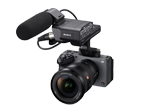
ILME-FX3
 Detailed Info
Limitations:ILME-FX3
- Operation is not guaranteed when shooting using lenses other than E-mount lenses.
- To use the SteadyShot function using metadata, set the SteadyShot function to [Off] or [Active] on the camera body before shooting.
- It is not possible to apply the SteadyShot function using metadata when recording with the Slow & Quick Motion or Super Slow Motion function.
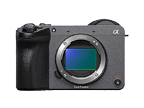
ILME-FX2
 Detailed Info
Limitations:ILME-FX2
- Operation is not guaranteed when shooting using lenses other than E-mount lenses.
- To use the SteadyShot function using metadata, set the SteadyShot function to [Off], [Active] or [Dynamic active] on the camera body before shooting.
- It is not possible to apply the SteadyShot function using metadata when shooting with the auto framing or framing stabilizer function.
- It is not possible to apply the SteadyShot function using metadata when recording with the Slow & Quick Motion or Super Slow Motion function.
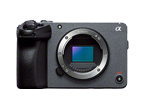
ILME-FX30
 Detailed Info
Limitations:ILME-FX30
- Operation is not guaranteed when shooting using lenses other than E-mount lenses.
- To use the SteadyShot function using metadata, set the SteadyShot function to [Off] or [Active] on the camera body before shooting.
- It is not possible to apply the SteadyShot function using metadata when recording with the Slow & Quick Motion or Super Slow Motion function.
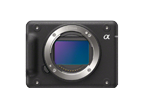
ILX-LR1
 Detailed Info
Limitations:ILX-LR1
- Operation is not guaranteed when shooting using lenses other than E-mount lenses.
- To use the SteadyShot function using metadata, set the SteadyShot function to [Off] on the camera body before shooting.
- It is not possible to apply the SteadyShot function using metadata when recording with the Slow & Quick Motion or Super Slow Motion function.
DSC-RX100M7A
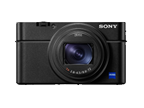 Detailed Info
Limitations:DSC-RX100M7A
- It is not possible to apply the image stabilization, horizon lock, or rolling shutter reduction functions using metadata when recording with the Slow & Quick Motion or Super Slow Motion function.
DSC-RX100M7
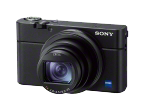 Detailed Info
Limitations:DSC-RX100M7
- It is not possible to apply the SteadyShot function using metadata when recording with the Slow & Quick Motion or Super Slow Motion function.
DSC-RX0M2
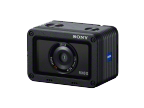 Detailed Info
Limitations:DSC-RX0M2
- It is not possible to apply the SteadyShot function using metadata when recording with the Slow & Quick Motion or Super Slow Motion function.
ZV-1M2
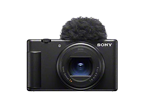 Detailed Info
Limitations:ZV-1M2
- It is not possible to apply the SteadyShot function using metadata when recording with the Slow & Quick Motion or Super Slow Motion function.
- When shooting using the cinematic vlog function, the image stabilization function employing metadata is not available.
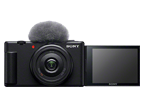
ZV-1F
 Detailed Info
Limitations:ZV-1F
- It is not possible to apply the SteadyShot function using metadata when recording with the Slow & Quick Motion or Super Slow Motion function.
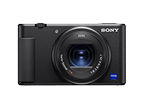
ZV-1A
 Detailed Info
Limitations:ZV-1A
- To use the image stabilization, horizon lock, or rolling shutter reduction functions using metadata, set the image stabilization function to [Off] or [Active] on the camera body before shooting.
- It is not possible to apply the image stabilization, horizon lock, or rolling shutter reduction functions using metadata when recording with the Slow & Quick Motion or Super Slow Motion function.
ZV-1
 Detailed Info
Limitations:ZV-1
- To use the SteadyShot function using metadata, set the SteadyShot function to [Off] or [Active] on the camera body before shooting.
- It is not possible to apply the SteadyShot function using metadata when recording with the Slow & Quick Motion or Super Slow Motion function.
Select a function.
